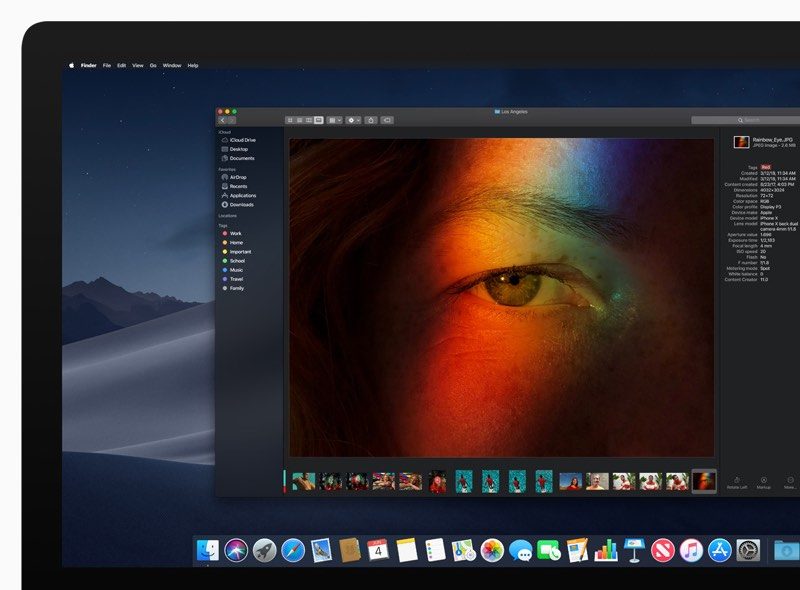
Note that after following the simple steps below, you'll stop receiving future beta updates for Mojave and will only be invited to install stable updates that are shipped to the general public.
- Launch the Mac App Store on your Mac ( -> App Store... from the menu bar).
- Type "Mojave" in the App Store search field to locate the public release of macOS, otherwise it won't show up for you.
- Click View on the result for Mojave.
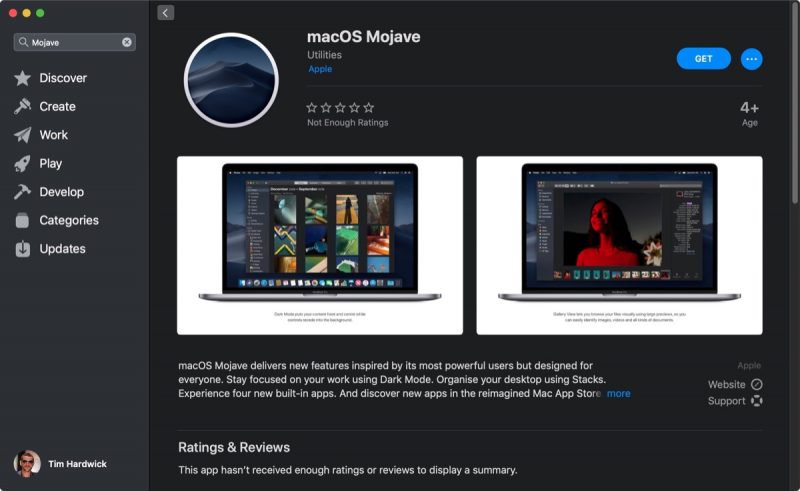
- Click the Get button.
- You'll be switched to the Software Update pane in System Preferences. Click Download to download Mojave when prompted, and wait for the download to complete in the Update pane, but don't start the installation procedure just yet.
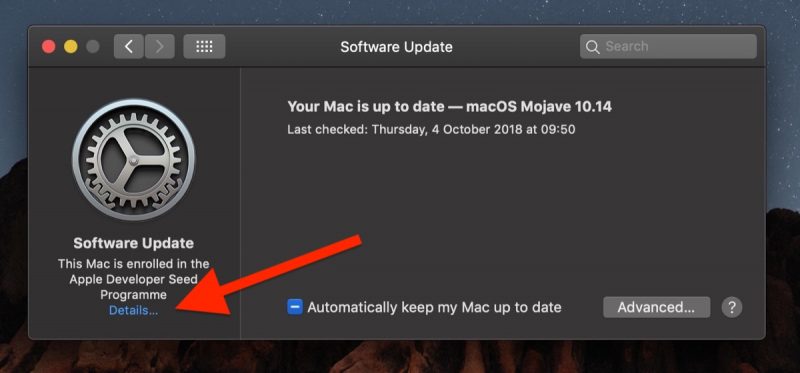
- Click Details... at the bottom left of the pane.
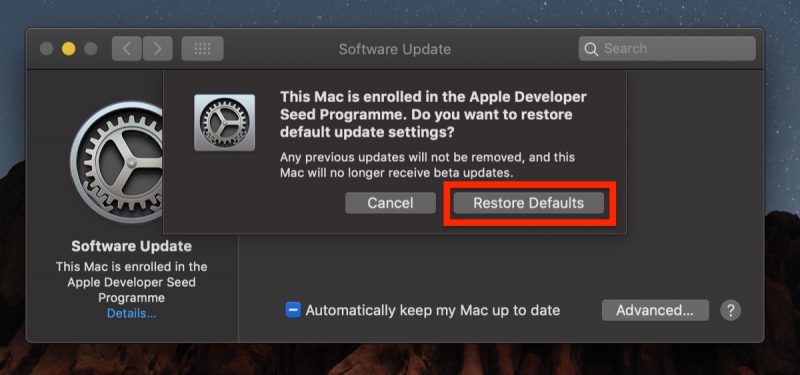
- Click Restore Defaults.
- Enter your admin password when prompted and click Unlock.
Related Roundup: macOS Mojave
Discuss this article in our forums
via MacRumors: Mac News and Rumors - All Stories https://ift.tt/2zRd97S

No comments:
Post a Comment